


How to generate a good product photo in AI? Fishing
Why does an instantly generated product image look heavenly, and at other times afraid to look at them?
Well, the reason is quite simple, but it does not mean that it is so easy to remedy. So what can you do to generate a professional photo without a million repetitions? We will go through it step by step.
Why does the AI generate some items perfectly and others with a mass of errors?
Each AI is linked to a specific library of images, from which the algorithm has learned to generate. Through long processes of repeatedly marking and describing individual objects, AI models can recognise faces, features, shapes and objects almost perfectly. If we send any newer AI model a picture of a mug on a table, the AI will certainly name the object correctly. The situation is similar with generation: if we ask the AI to generate a photo of a mug, it will also do so correctly.
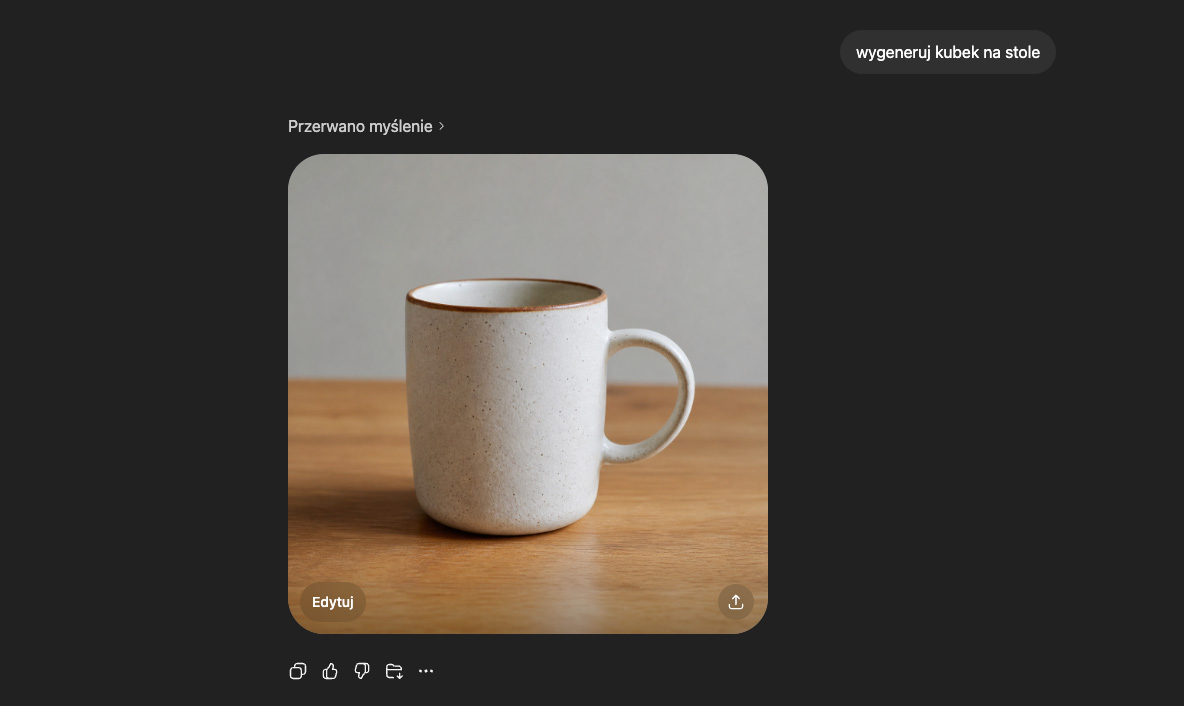
(model: GPT thinking 5.5)
As you can see, the AI has coped admirably. So we turn up the prompt a bit to get an arranged photo.
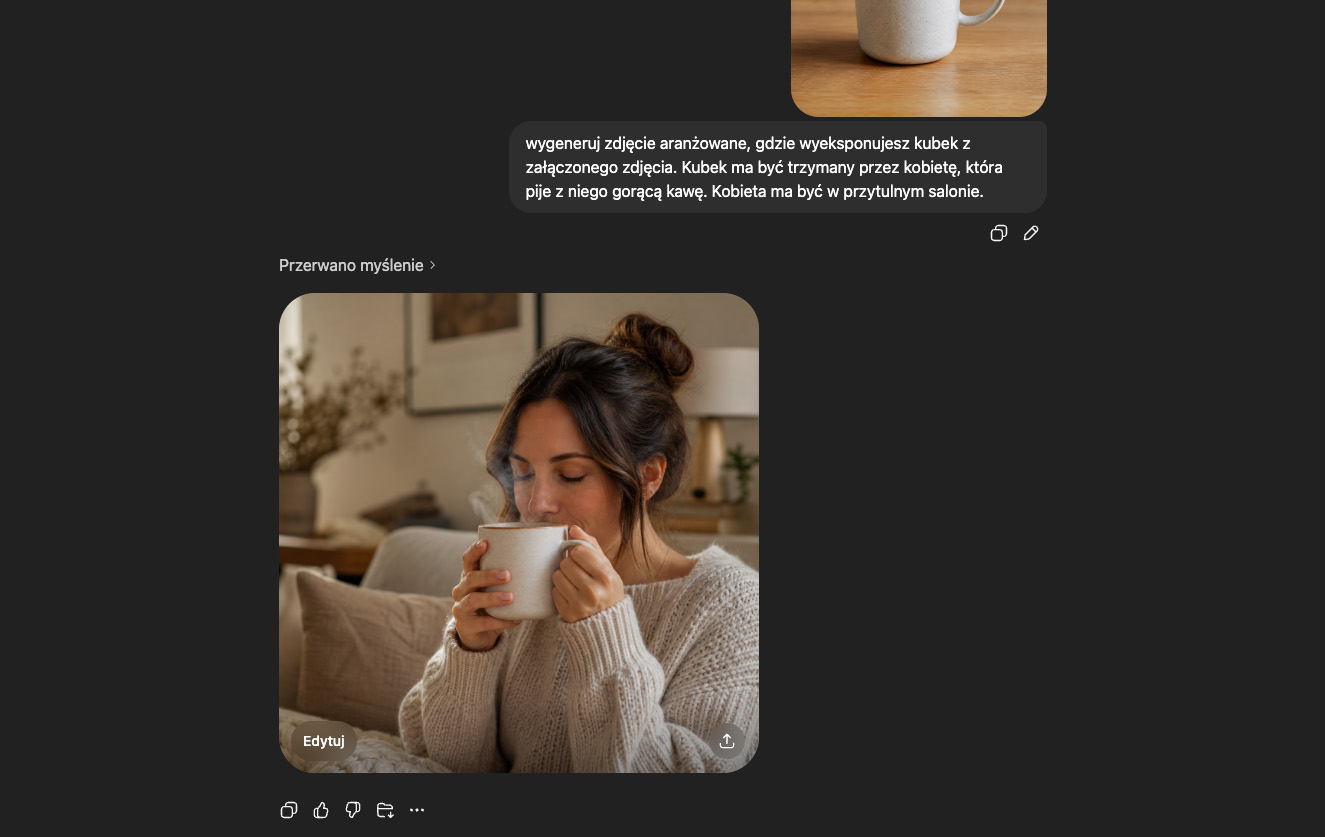
We won't be comparing models today, so we'll boil the conclusions down to the big picture: a mug that is subject of common use, a fairly popular one, was generated without any problems. However, what about a non-standard specialist subject? In our experience, we have noticed a unique difficulty when it comes to images in fishing categories. If one is familiar with the industry, one is rather familiar with the appearance of auctions for fishing products. There are usually poor pictures and their quality leaves much to be desired: instead of a high-quality studio photograph, we often see a pixellated packaging or vague close-ups of the product. In an auction there is often only one photo, so the customer briefly buys the item blind. How does AI deal with such products?
Let's start by generating a simple object: a protein ball.
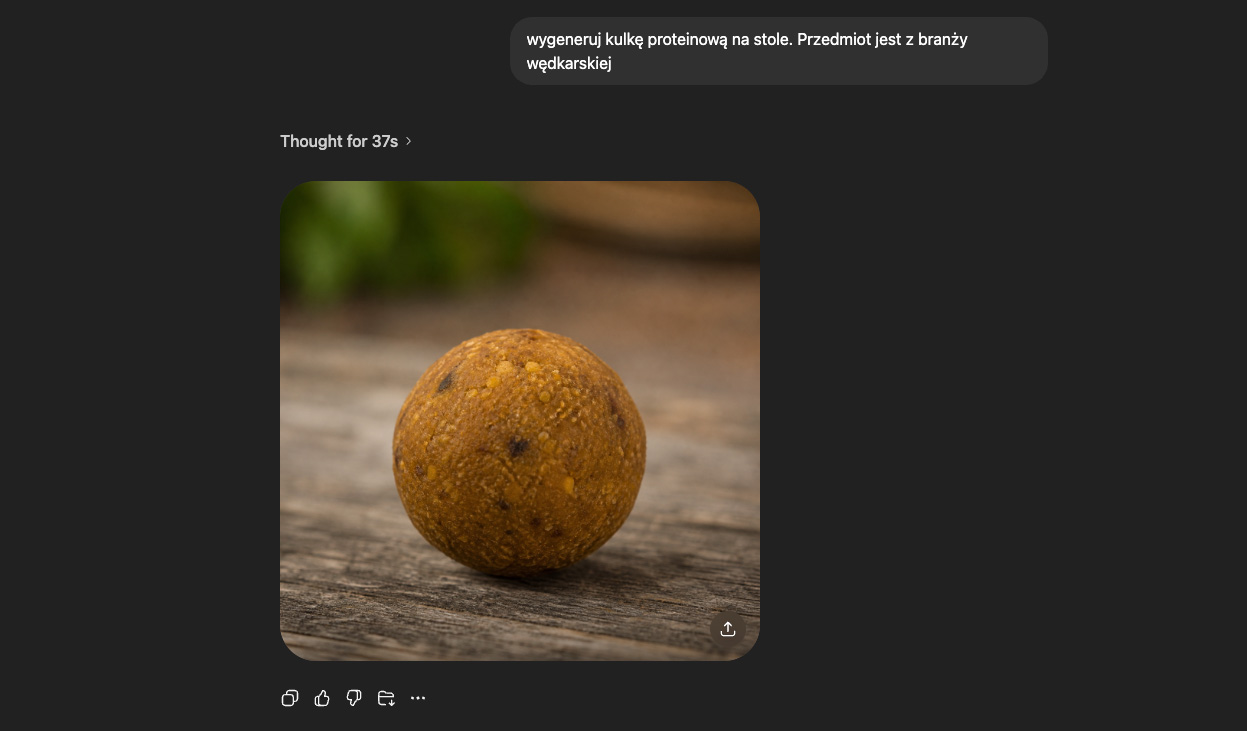
We would then prepare a prompt for an arranged photo. The purpose of the cup was to drink from it - that was also our prompt. The purpose of the protein ball is to „scoop” it onto the hook - let's see how the AI would handle such a photo.
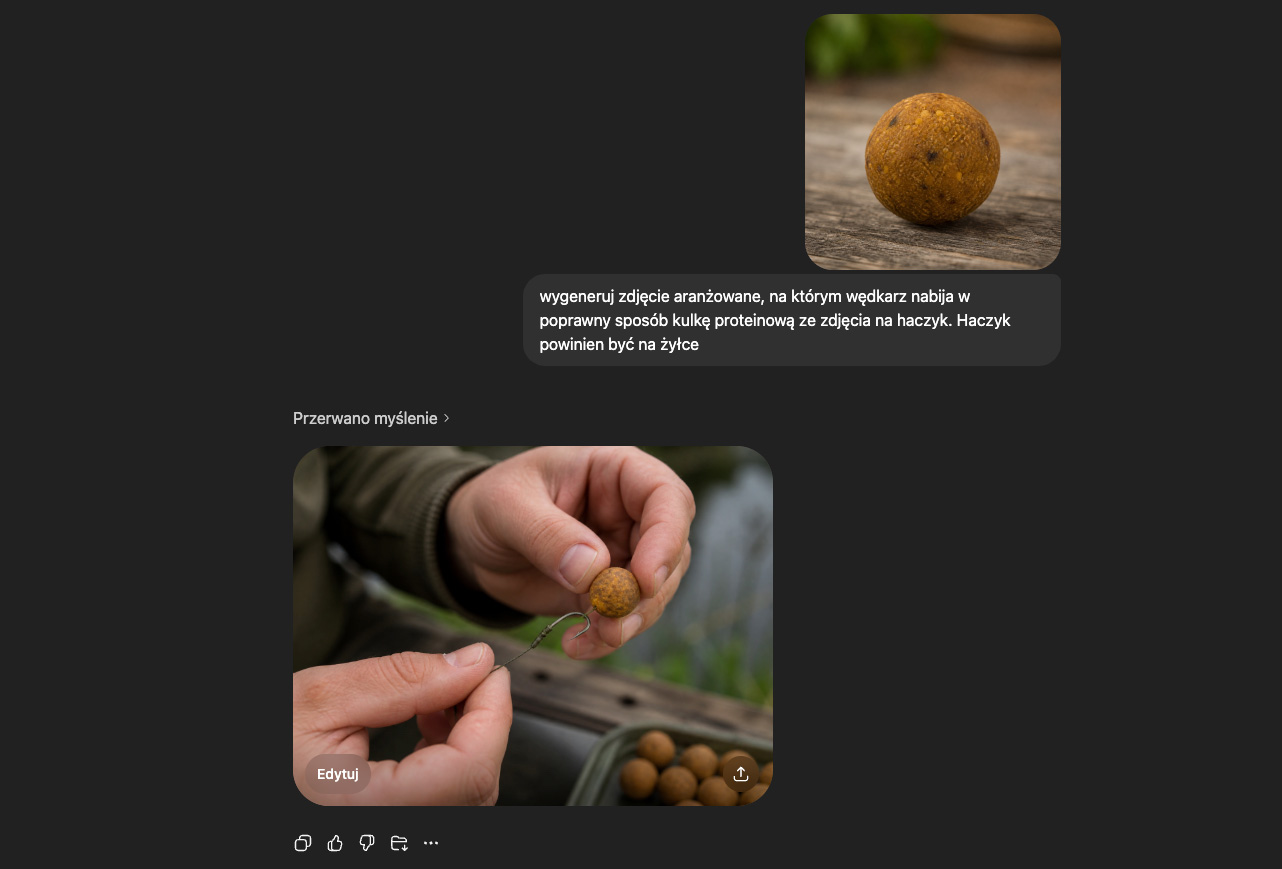
It is unlikely that you need to be an angler to notice that this is not how you put a protein ball on a hook (most importantly, the line with the ball should not be attached to the tip of the hook, but should be on the same line as the hook). Earlier, we mentioned that the quality of the images generated by the AI depends on the library on which it was learning. Often libraries were created from existing clusters of images (e.g. image banks). However, surfing the internet, it is impossible to see that specialised sectors (e.g. fishing, construction) have a significant deficit. This means that AI did not have enough images to process to create a valid photo generation scheme „scooping a protein ball onto a hook”. Below are some of our other examples of incorrectly generated images:
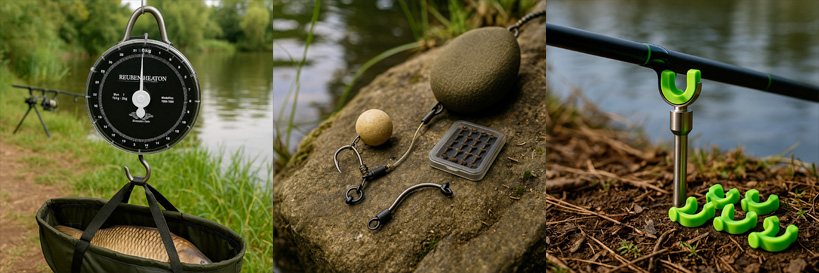
(we can assure you that this is not the correct use of these fishing items)
So how do you generate the correct product image?
Above all, it is worth simplify the prompt. If describing the exact use of a product does not have the desired effect, reducing „use” to simply holding it in the hand or placing it on a table can help a lot. It is not worth insisting on complex sequences if the AI apparently has a problem with them. In the case of generating of several products can be reduced. It is often the case that two or three products look like the original, but the others have all sorts of defiguration and loss.
If the photo still does not look satisfactory, on your own you can search the image banks to which you are entitled (or which are free), and take the reference photo. Working with such a photo is a little more complicated, but in exceptional cases it can sometimes be more effective than an endless battle with prompts. It is therefore sufficient upload a reference photo and a photo of our product to the AI and ask it to replace the items. Using our protein ball example, it would look like this: we find a photo of an angler scooping a protein ball, upload both photos in AI and add the prompt „I attach two photos: one arranged, where the angler is putting a protein ball on the hook, and the other with a protein ball on a white background. Replace the protein ball (put on the hook by the angler) with a ball like the one in the photo with the white background.”. In most cases, AI should have no problem with such a simple edit, but finding a reference photo can sometimes be time-consuming.
Another form of improving the outcome of arranged photographs that is worth knowing and using is correction of the main photo. This is often the case with product photography, which are in mirror image, are not centred, are turned the wrong way round or are upside down (or sideways). It is worthwhile first correct such a photo, and only then put it into the AI. Even if we have included in the prompt that the object from the photo is lying sideways and should be vertical, AI does not always apply these recommendations. It is then worth getting ahead of the AI and rotating the photo at the start - this can be done in seconds via the system's built-in photo editor/player or dedicated apps.
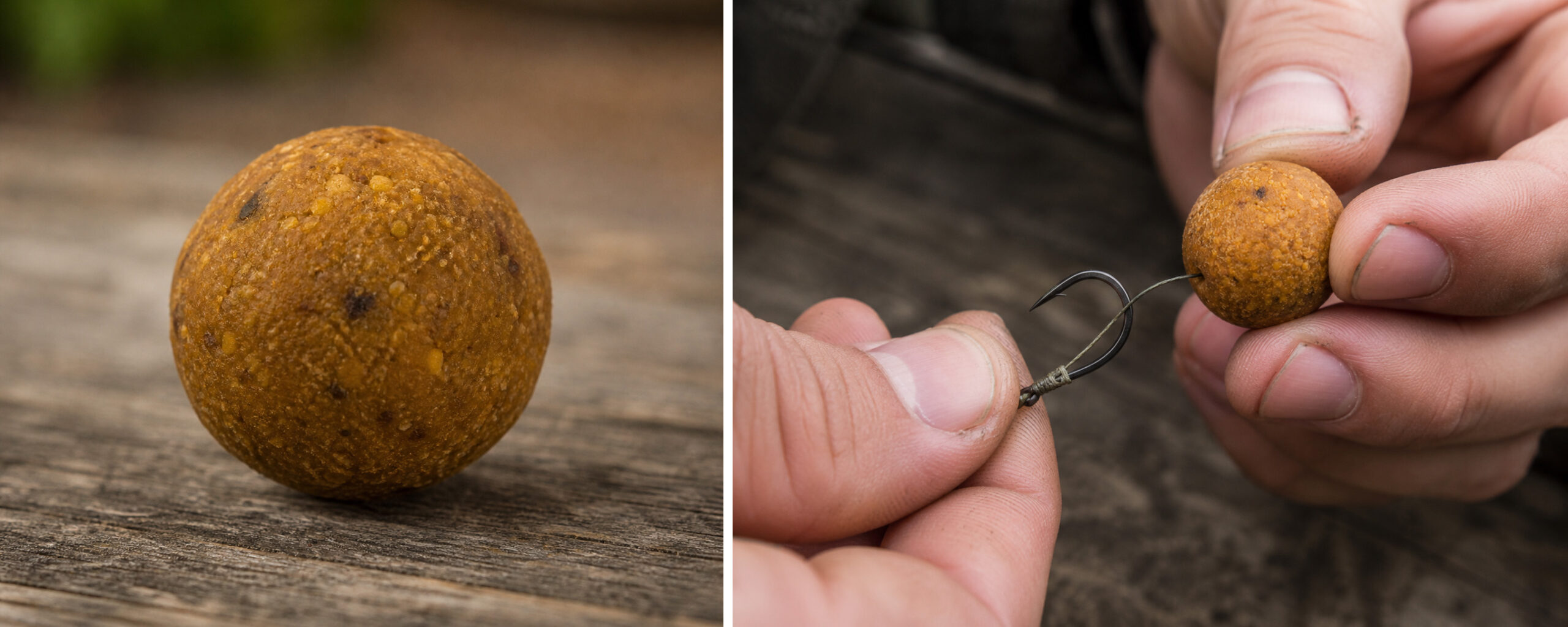
Below is an example of a correctly generated image of a previously conceived ball, using one of the methods described above:
Finally - a brief summary of how to deal with incorrect generation:
- Simplify the prompt
- Change product use
- Reduce the number of products generated per image (single product vs. several)
- Change the AI model
- Use a reference photo
- Correct/change the parent photo
In short, the generation of images from industries with a small photo bank results in many AI errors and shortcomings. There are ways to remedy this, but they are not always effective. It is important to remember that, despite everything real photographs on a white background also should be included in our offers. In the case of arranged photos, AI can help, but customers prefer photos that are generated correctly, showing a flawless, realistic shot of the product. It is not worth uploading photos taken „on one copy”, which mislead the customer about the appearance of the product. Remember that our recipient is a human being - and it is for him or her that we prepare photos.
Blog author: Nikola - bTOP Graphic Designer
Date of publication: 18.05.2026r.
 Polish
  English
  German
  Czech
Czech  Hungarian
  Slovak