



How to price effectively at TEMU: calculator and guide
How to price effectively at TEMU: calculator and guide
On TEMU, the retailer gives you a net base price (think of it as „wholesale” - that's how much you want to sell the goods to TEMU for). It is TEMU that ultimately decides the retail price visible to the customer, and your base price is one of the inputs to their algorithms and campaigns. In the TEMU model, suppliers/vendors do not have full pricing autonomy and the final price and platform margin are shaped by TEMU (the supplier negotiates the base, the platform shapes the retail).
Don't have an account yet?
👉 Click here to register an account with TEMU
1) The basics: what the „base price” really is at TEMU
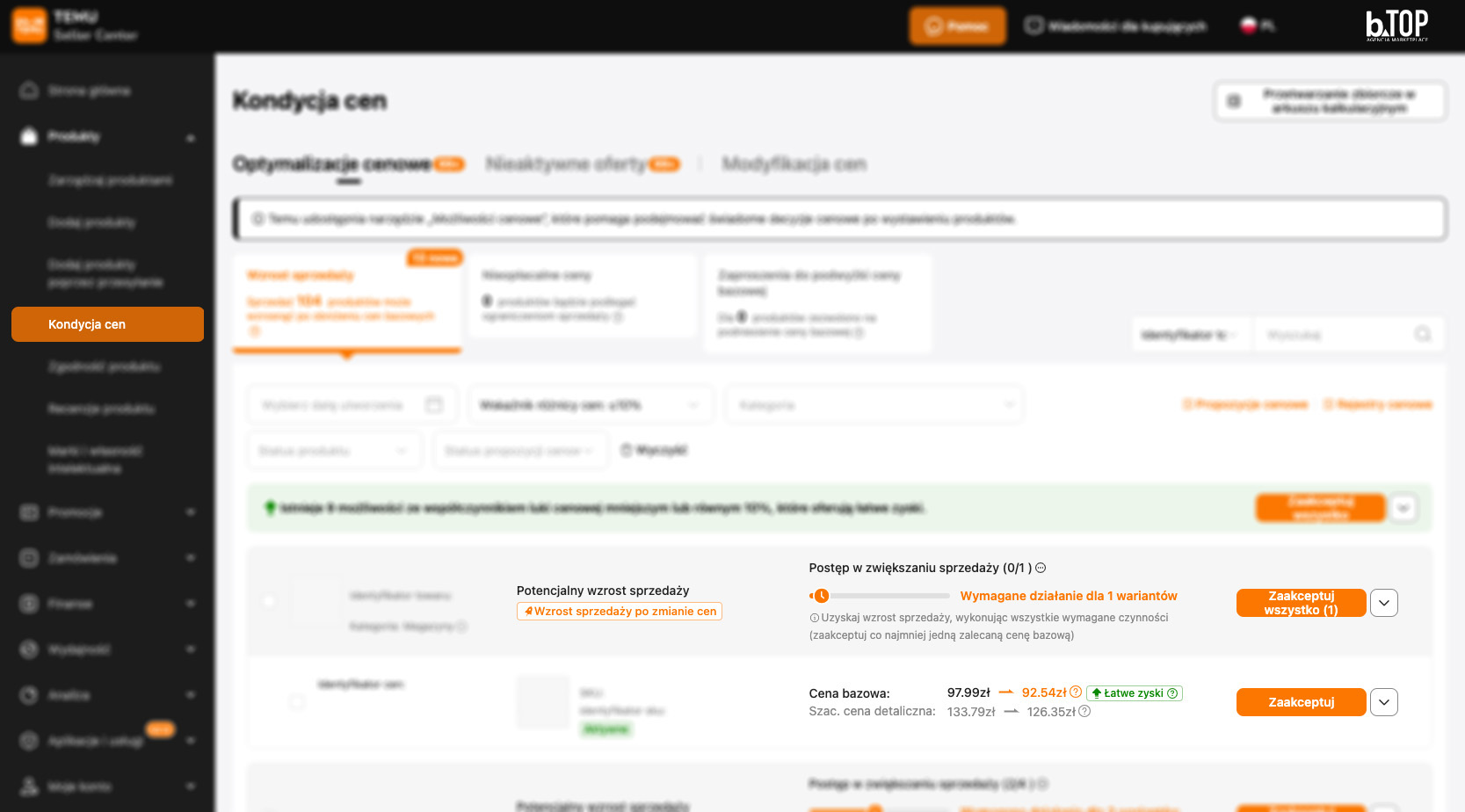
Current working price rule (operational example):
retail price (gross) ≈ Base price_net × (1 + 11%) × (1 + VAT)
In Poland, at VAT 23%, this gives a multiplier of ≈ 1,3653. Attention: the percentage of TEM surcharge (e.g. 11%) may vary between categories/periods and is sometimes adjusted with campaigns. (The industry notes the volatility of fees and price management on the TEMU side).
Why does the base price „float”?
Because participation in campaigns (coupons, bundles, „price match”), competitive pressures and platform policies influence how TEMU converts and displays retail - and the platform actively advises/adjusts price levels relative to the market.
2) Why it is not allowed to copy prices from Allegro 1:1
If you have £100 gross on Allegro and „paste” this onto TEMU as a base, TEMU will treat £100 as net, then add its mark-up and VAT. The result: a retail price significantly higher than the market price, a drop in conversions and the risk of lack of exposure in promotions.
Design:
Estimated retail (gross) = base price_netto × (1 + 11%) × (1 + 23%)
Example of error:
Base = 100.00 net → retail ≈ 100 × 1.3653 = £136.53 gross (i.e. ~+36.5% vs Allegro).
This is the typical reason why it is necessary to count the price on TEMU from zero, rather than mapping the „shop price”. (it is TEMU that is the decider of the retail list price).
3) Is the „backward” method of determining the base correct?
Take, for example, the gross target price from Allegro, e.g. £100.
Net = 100 / 1.23 = £81.30.
„Remove” the markup TEMU: base_netto = 81.30 / 1.11 = £73.24.
Then TEMU, after adding 11% and VAT, should be back in the region of £100 gross. This is a good starting point, but remember that TEMU can bump/lower retail as part of a campaign, market fit or free delivery policy - hence treat this as a price target, not a guarantee. (Mechanism: TEMU controls the retail, the supplier controls the base).
4) Shipping and the „free delivery” threshold: how not to fall into the £60-£64 trap

Operationally in Poland we often encounter the scenario:
< threshold of less than PLN 65: customer pays approx. PLN 12.99 gross; retailer buys InPost label ~£8-8.50 net (example rates from practice).
≥ threshold (e.g. £65): shipping costs fall on the seller - usually ~£13.50-14.00 gross.
Risk: If your calculation gives you a retail of ~£60-£64, TEMU's algorithms may „push” the price up to the free delivery threshold for the buyer. Then you cover the shipping and the margin will „eat away” imperceptibly.
Thresholds and free delivery policies are sometimes modified by TEMU and depend on the market; official sites generally speak of „free standard shipping” with conditions depending on the country/period, hence it is worth constantly reviewing the current thresholds and real costs of labels in your integration.
Practical advice: with low baskets, set the base so that the retailer does not accidentally leave ≥ the threshold (e.g. £65) unless you plan to finance the shipping from the margin.
5) Invoicing and billing
It is THEM that invoices the customer (knows at what price it sold the product). You receive the platform's billing/margin in a separate document (CSV/PDF report), which Base integrations can automatically retrieve. The logic is that the retailer controls TEMU and the supplier settles with the platform according to the agreed terms.
6) How to count correctly (formulas + checklist)
Constants (PL example): VAT=23%, surcharge TEMU=11% (variable).
Working patterns:
Retail (gross) ≈ Base_netto × 1.11 × 1.23 = Base_netto × 1.3653
Base_netto (from target retail) ≈ Target_retail_gross / 1.3653
Base_netto „as Allegro” ≈ (Allegro_netto / 1.23) / 1.11
- Count the full net cost (purchase + packaging + returns + possible shipping cost if retail ≥ threshold).
- Set a net margin target and from this set a net base.
- Check that the estimated retail doesn't fall into the £60-£64 band (if you don't want to finance shipping).
- Simulate campaign variants (coupons, bundles).
👉 Click here to register an account with TEMU
Inputs (per SKU)
Results
Batch sheet - count many products at once
It uses the parameters from the section above (VAT, TEMU markup, threshold, shipping cost and optional CAP 64.99). For each line, enter gross purchase price, gross packaging i Target net profit (PLN). The rest will be calculated automatically.
| SKU / Name | Gross purchase | Gross packaging | Net profit (PLN) | Net cost | Net shipping | Total net cost | Net base | Retail (gross) | Net margin | Shipping? | CAP warning |
|---|
7) A „real-life” example (numbers close to real)
Purchase cost: PLN 18.74 gross, packaging: PLN 6.00 gross → net cost = PLN 20.11.
Net margin target: 20%.
Base_netto = 20.11 / (1 - 0.20) = £25.14.
Retail (gross) ≈ 25.14 × 1.3653 = £34.3 (below the threshold - the customer pays shipping, you buy the label; the cost of the label does not „go into” your cost unless the threshold is exceeded).
If you intend to use promotional campaigns on THEM you need to set a higher margin target!
8) The most common mistakes and how to avoid them
Copying prices from Allegro → price on TEMU increases by surcharge and VAT. Always count from net base!
No control of shipping threshold → accidental jumping ≥ threshold and loss of margin on delivery.
Outdated markup → work on „as of today” parameters; TEMU markup can change per category/market.
No campaign simulation → discounts/coupons TEMU affect final price and profitability.
Practice note: Specific values (e.g. „11%”, „£12.99”, „£65 threshold”, InPost label rates) are operational and subject to change. Treat these as a starting point, and include monitoring of current conditions in your TEMU panel and real label costs from your logistics partner in your pricing process.
Author: Adrian Śmigiel
Date of publication: 8.10.2025r.
 Polish
  English
  German
  Czech
Czech  Hungarian
  Slovak